


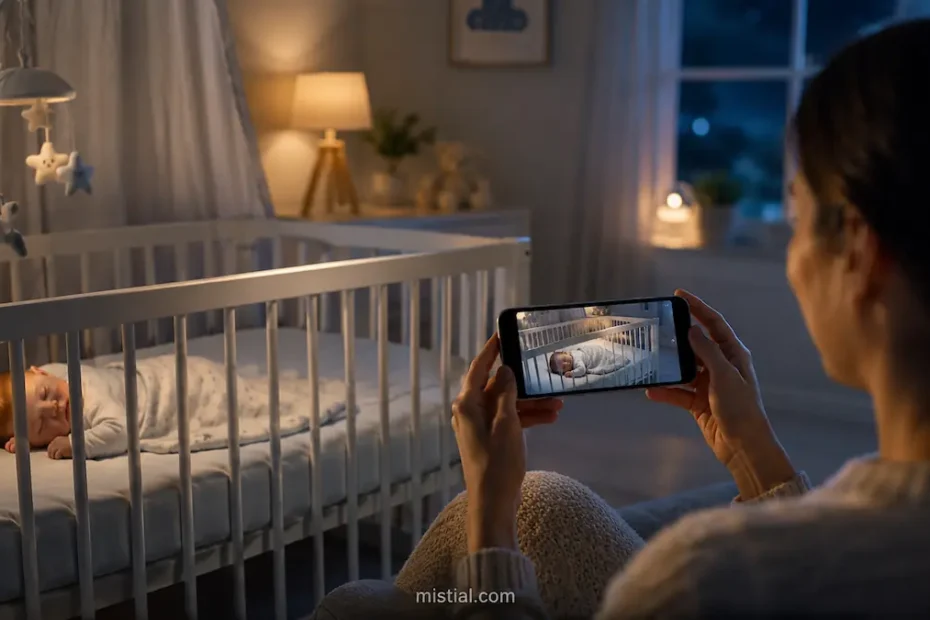
Parents do not always need another expensive device to keep an eye on their baby. In many homes, there is already an older iPhone or iPad sitting in a drawer, still working well but no longer used every day. BlinkBaby is built around that simple idea: instead of buying a separate baby monitor, parents can turn two Apple devices into a practical video and audio monitoring setup.
The app is designed for families who want a fast, clear and private way to watch and listen to their baby from another room. With BlinkBaby BabyMonitor, one iPhone or iPad stays in the baby’s room as the camera device, while another iPhone or iPad becomes the parent viewer. This makes the app especially useful at home, while traveling, during visits to grandparents, or as a backup monitor when a dedicated device is not available.
What Makes BlinkBaby Useful
The main advantage of BlinkBaby is its simplicity. Parents do not have to set up a complicated system, create an account, or learn how to use unfamiliar hardware. The app works with devices many families already own, which makes it a convenient option for everyday monitoring.
Its core purpose is straightforward: provide live video, sound, alerts and two-way communication between two iOS devices. For many parents, that is exactly what they need from a baby monitor. Instead of focusing on unnecessary extras, BlinkBaby keeps the experience clean and practical.
How the App Works
The setup process is intentionally simple. Parents install the app on two Apple devices. One device is placed in the baby’s room and used as the camera and microphone. The second device stays with the parent or caregiver and is used to watch the live feed.
Basic setup steps
- Install the app on two iPhones or iPads.
- Place one device safely in the baby’s room, connected to power if needed.
- Start monitoring on the baby-room device.
- Scan the QR code or use the connection option on the parent device.
- Begin watching and listening through the live feed.
This approach is helpful because it removes one of the biggest frustrations parents often face with baby monitors: setup. There is no need to pair a special camera, connect a receiver, or manage a separate screen. The app turns familiar devices into a baby monitoring system with a few taps.
Key Features of BlinkBaby
Live HD Video Monitoring
Video quality matters when parents want to quickly understand what is happening in the nursery. BlinkBaby offers live HD video streaming, allowing caregivers to see whether the baby is sleeping peacefully, moving around, or needs attention. A clear image can reduce the need to repeatedly enter the room and risk waking the child.
Audio Monitoring
Sound is just as important as video. A good baby monitor should allow parents to hear movement, crying or other noises from the room. BlinkBaby provides live audio, helping parents stay aware even when they are busy elsewhere in the home.
Two-Way Audio
Two-way audio is one of the most useful features for everyday parenting. If the baby begins to stir or becomes unsettled, a parent can speak through the viewer device. Sometimes a familiar voice is enough to calm the baby before the parent enters the room.
This feature can also be helpful when more than one caregiver is involved. A parent, grandparent or babysitter can communicate through the device without needing to immediately interrupt the baby’s sleep environment.
Cry Detection and Notifications
BlinkBaby includes cry detection, which can send an alert when the app recognizes that the baby is crying. This can be especially useful during evenings, naps, or moments when the parent is not constantly looking at the screen.
Notifications are not a replacement for attentive care, but they can provide an additional layer of awareness. For parents who are cooking, working nearby, cleaning, or resting in another room, instant alerts can make monitoring more comfortable and responsive.
Battery Alerts
Using a phone or tablet as a baby monitor means battery life is important. BlinkBaby includes battery alerts so parents know when the baby-room device is running low. This is a practical detail because a monitor is only useful when it stays active and connected.
For longer monitoring sessions, it is usually best to keep the camera device plugged in and placed in a stable, safe position. Battery notifications add reassurance, especially during naps or overnight use.
Multiple Viewers
Modern families often share caregiving responsibilities. BlinkBaby supports multiple viewers, which means more than one trusted person can stay connected to the same baby-room device. This can be useful for partners, grandparents or babysitters who need access at the same time.
Privacy and Security
Privacy is a major concern for any baby monitoring solution. Parents want convenience, but they also want to know that their family’s video and audio are handled responsibly. BlinkBaby focuses on private monitoring by using encrypted connections and avoiding unnecessary account requirements.
The app is designed so families can monitor without creating a profile or building a large cloud-based history. This privacy-first approach is important because baby monitoring involves sensitive home and family moments.
Why privacy matters in a baby monitor
- Baby video and audio are highly personal.
- Parents need confidence that monitoring is limited to trusted devices.
- Unnecessary accounts and stored recordings can create extra privacy concerns.
- A simple connection model can make the experience easier to understand.
When BlinkBaby Can Be Especially Helpful
BlinkBaby is not only for daily nursery monitoring. Because it works with iPhones and iPads, it can fit into many real-life situations where parents need flexibility.
At home
At home, the app can be used during naps, evenings, playtime in a nearby room, or quiet moments when parents want to keep an eye on the baby without standing beside the crib. It gives parents freedom to move around the house while still staying connected.
During travel
Traveling with a baby often means carrying many items. A separate baby monitor can take up extra space, require another charger, and add one more thing to remember. BlinkBaby can be useful in hotels, rental apartments or family homes because it uses devices parents may already be bringing with them.
As a backup monitor
Even families with a dedicated baby monitor may need a backup. Devices can break, batteries can fail, or the monitor may be forgotten during a trip. Having an app-based option can be a practical safety net.
For grandparents and babysitters
When grandparents or babysitters help with childcare, they may not be familiar with a family’s dedicated monitor. An app with a simple QR-code connection can be easier to explain and faster to set up.
Advantages Compared With Traditional Baby Monitors
Traditional baby monitors can be useful, but they are not always the most flexible option. Some models are expensive, some have limited range, and some require separate screens or complex pairing. BlinkBaby offers a different approach by turning existing devices into a monitoring system.
- Lower extra cost: families can reuse iPhones or iPads they already own.
- Less hardware: there is no need to carry a separate monitor screen.
- Fast setup: QR-code connection makes the process easy.
- Flexible use: the app can be used at home, during travel or as a backup.
- Familiar interface: parents use devices they already understand.
Important Usage Tips
Like any baby monitor, BlinkBaby should be used responsibly. The device in the baby’s room should be placed securely, away from the crib, and connected in a way that does not create any risk from cables or falling objects. A baby monitor is a helpful tool, but it should not replace normal supervision or safe sleep practices.
Practical recommendations
- Keep the camera device plugged in during long monitoring sessions.
- Place the device on a stable surface with a clear view of the baby.
- Keep charging cables away from the crib and out of reach.
- Check sound and video before relying on the monitor.
- Make sure notifications are enabled on the parent device.
- Use trusted devices only when sharing viewer access.
Who Is BlinkBaby Best For?
BlinkBaby is a good fit for parents who prefer a simple, app-based baby monitor and already have access to two Apple devices. It is also a strong option for families who want to reuse an older iPhone or iPad instead of buying new monitoring hardware.
The app may be especially useful for parents who value quick setup, private connections, live HD video, two-way audio and cry alerts. It is also practical for families who move between locations and want a monitor that can travel with them easily.
Final Thoughts
BlinkBaby offers a clean and modern approach to baby monitoring. Rather than asking parents to purchase another device, it makes use of the technology they may already have at home. With live video, audio, two-way communication, cry detection, battery alerts and simple connection options, the app covers the features many families need most.
For parents looking for a flexible baby monitor for iPhone or iPad, BlinkBaby provides a practical balance of convenience, privacy and ease of use. It is not meant to replace attentive caregiving, but it can make everyday monitoring calmer, simpler and more accessible.
