


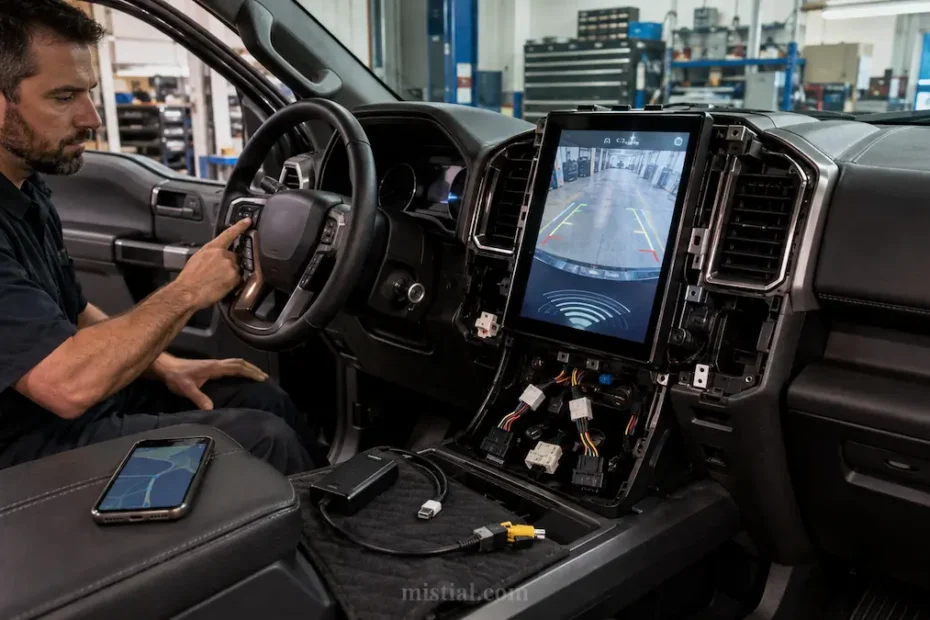
A 12.1-inch screen changes the dashboard of an F150 immediately. It is probably the first thing most people notice.
Before buying one, though, I would spend more time checking what happens to the functions already built into the truck.
The Gen 6 T-Style Radio for 2015–2020 Ford F150 and 2017–2022 Super Duty is a plug-and-play replacement with a 12.1-inch display, wireless Apple CarPlay, Android Auto, GPS and Bluetooth.
The factory integration is the part worth looking at carefully.
Depending on the truck, the original system may already be tied to cameras, parking sensors and factory USB connections. Replacing the display is easy to understand; making sure those existing functions still behave normally is more important.
XAutoStereo lists support for factory front and reverse cameras, factory parking-sensor display where equipped, and additional aftermarket front, rear or right-side cameras. If your F150 already has cameras, I would confirm the exact factory configuration before ordering rather than assuming every trim uses the same connections.
Audio is another reason people replace the factory unit. The Gen 6 includes DSP with a 16-band EQ and a built-in 4 × 45-watt amplifier.
Those numbers give you more adjustment, but tuning still matters. Boosting every band rarely improves a factory speaker system. Start close to flat, make small changes and listen at the volume you actually use while driving.
Wireless CarPlay and Android Auto are probably the features most owners will use every day. Navigation, calls and music can stay on the phone while appearing on the larger screen. The unit also runs Android, so apps can be installed directly when an internet connection is available.
Installation is described as plug and play, but trucks with previous stereo, amplifier or camera modifications deserve a closer look before anything comes apart.
Photograph the original dashboard and connectors first. If aftermarket wiring is already present, identify it before assuming it belongs to the factory harness.
Before putting the trim back on, power everything up. Check the cameras, parking-sensor display, factory USB connection, Bluetooth and audio from every speaker.
You can compare other Linkswell car stereo and T-style radio options on XAutoStereo, including systems for RAM, Jeep, GMC and other trucks.
Before ordering an F150 radio, check the model year, existing cameras, factory options and any previous audio modifications. Those details matter more than the screen size.
Before ordering, write down the truck’s exact model year, trim, original screen size and whether it has a factory amplifier, premium audio, navigation, climate controls or multiple cameras. Compare that list with the radio package and harness rather than assuming every F150 dashboard uses the same connections. Ask the supplier which factory features are retained and whether any adapters or software settings are required. During installation, disconnect power safely, protect the trim and label each connector before moving it. Test the steering-wheel buttons, microphone, speakers, USB ports, Bluetooth, wireless phone projection, reverse camera, parking sensors and climate display before snapping every panel back into place. A short test drive can reveal volume imbalance, camera delay, poor call quality or wireless dropouts that are easier to correct while the dashboard is still accessible. Keep the original unit and fasteners until the upgrade has been used successfully for several days.
